Creating high-quality content takes time, whether you’re producing YouTube videos, writing blog posts, or managing social media. From generating ideas to editing videos, every step requires effort. That’s why many creators are now using AI tools for content creators to speed up their workflow and improve productivity.
With today’s AI tools for content creation, you can write scripts, generate AI videos, create realistic voiceovers, design thumbnails, and edit videos in minutes. Many of these are free AI tools for content creation or offer free plans and free trials, making them perfect for beginners and professionals alike.
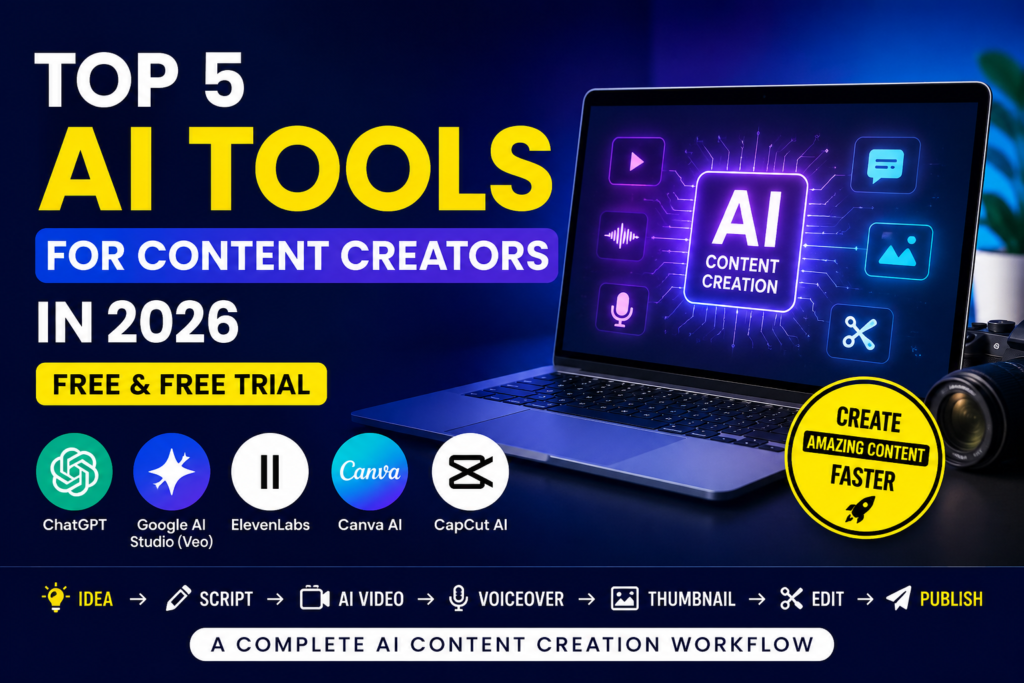
In this guide, you’ll learn a complete AI content creation workflow and discover the top 5 AI tools for content creators that can help you create better content faster.
Step-by-Step AI Content Creation Workflow
Before exploring the tools individually, let’s understand how they work together. A typical content creation workflow looks like this:
Content Idea → Script → AI Video → AI Voiceover → Thumbnail → Video Editing → Publish
Complete AI Content Creation Workflow
💡 Find Content Ideas → ChatGPT
        ↓
✍️ Write Script → ChatGPT
        ↓
🎥 Create AI Videos → Google AI Studio (Veo)
        ↓
🎙️ Generate Voiceover → ElevenLabs
        ↓
🎨 Design Thumbnail → Canva AI
        ↓
✂️ Edit Video → CapCut AI
        ↓
🚀 Publish on YouTube, Instagram, Facebook, or TikTok
Following this workflow helps you create professional content more efficiently and keeps your production process organized.
Step 1 – Find Content Ideas Using ChatGPT 💡
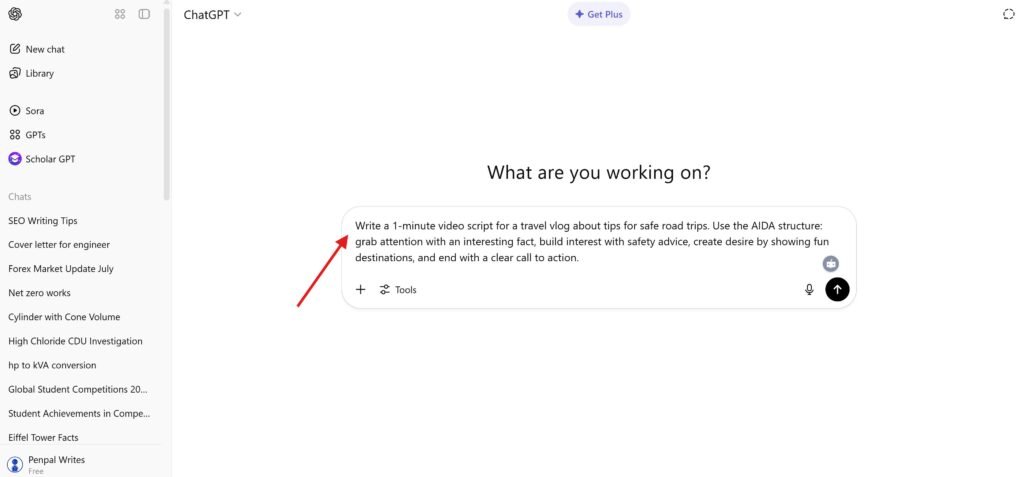
Every successful piece of content starts with a good idea. Instead of spending hours searching for trending topics, you can use ChatGPT to generate fresh content ideas within seconds.
Simply describe your niche, and ChatGPT can suggest blog topics, YouTube video ideas, Instagram Reel concepts, or YouTube Shorts ideas based on your audience.
What You Can Do
Find trending content ideas.
Brainstorm unique video concepts.
Discover topics your audience is searching for.
Create a monthly content plan.
Generate keyword ideas for SEO.
Example Prompt
“Give me 20 trending YouTube Shorts ideas about artificial intelligence for beginners.”
Pro Tip: Combine ChatGPT’s ideas with Google Trends or YouTube Search suggestions to find topics with strong search interest.
Step 2 – Write Scripts with ChatGPT ✍️
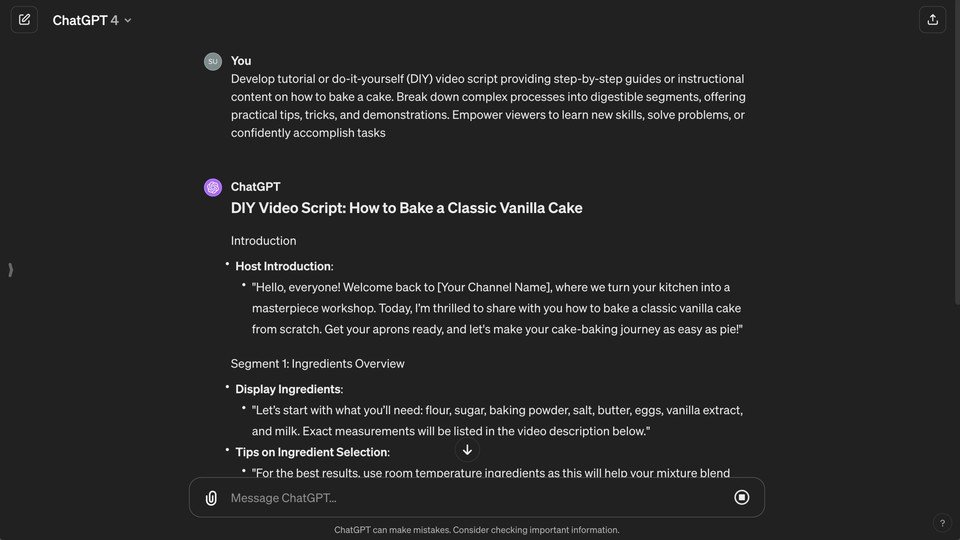
Once you’ve chosen your topic, it’s time to create your content. ChatGPT can help you write complete YouTube scripts, blog articles, social media captions, titles, and SEO-friendly descriptions.
Instead of starting with a blank page, you can generate a well-structured draft and then customize it to match your style.
ChatGPT Can Help You
Write YouTube Shorts scripts.
Create long-form YouTube video scripts.
Draft SEO blog articles.
Generate catchy titles.
Write meta descriptions.
Create social media captions.
Improve grammar and readability.
Example Prompt
“Write a 45-second YouTube Shorts script explaining the top Google Chrome AI features with a strong hook and call to action.”
Pro Tip: Always review and personalize AI-generated content before publishing. Adding your own insights and examples helps your content stand out.
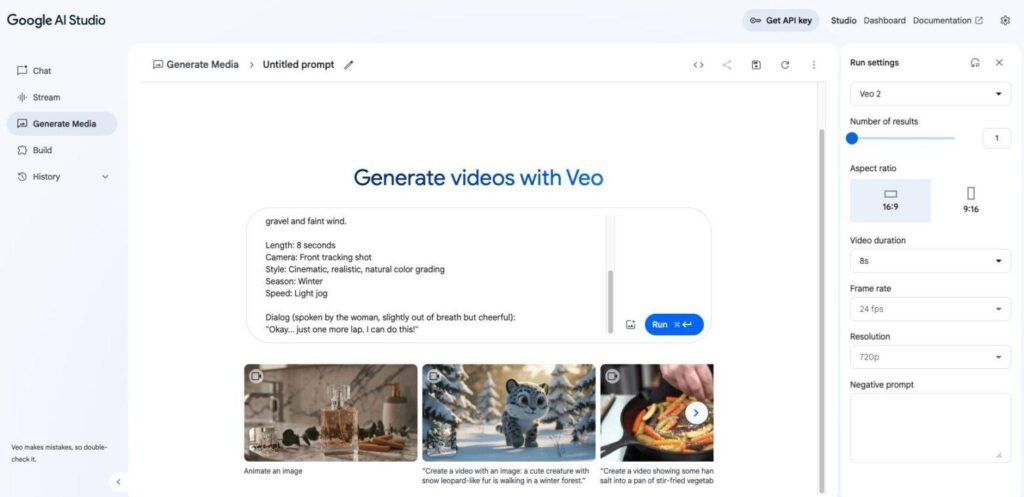
Step 3 – Create AI Videos with Google AI Studio (Veo) 🎥
After your script is ready, you need visuals that keep viewers engaged. Google AI Studio, with access to Google’s latest video generation capabilities where available, lets you create high-quality AI videos from simple text prompts.
Instead of searching for stock footage or recording every scene yourself, you can generate custom visuals that match your script.
What You Can Create
Cinematic AI videos.
Product showcases.
Technology animations.
Nature and travel scenes.
Background footage (B-roll).
Short clips for YouTube Shorts and social media.
Example Prompt
“A futuristic smart city at sunset with flying vehicles, cinematic lighting, ultra-realistic, 9:16 vertical video.”
Pro Tip: Write detailed prompts describing the subject, environment, camera movement, lighting, and video style for better results.
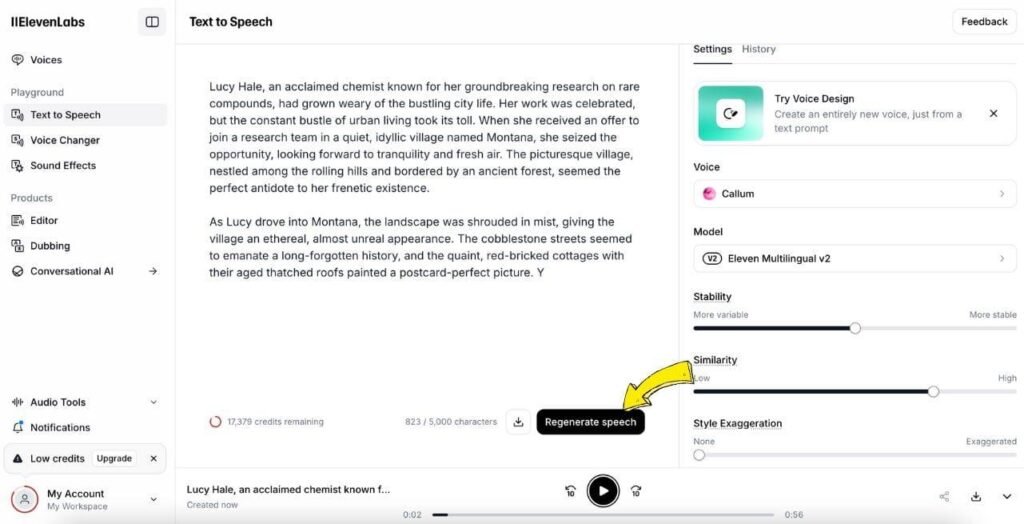
Step 4 – Create AI Voiceovers with ElevenLabs 🎙️
Once your AI video clips are ready, it’s time to add a voiceover. Instead of recording your own voice, you can use ElevenLabs to generate natural-sounding AI voices in just a few minutes.
Simply paste your script into ElevenLabs, choose a voice, and generate your narration.
What You Can Do
Generate realistic AI voiceovers.
Choose from different voices and accents.
Create narration for YouTube videos.
Produce podcast intros and outros.
Download high-quality audio files.
Example Prompt
“Welcome to TechAdda Nepal! Today we’ll explore the top 5 AI tools every content creator should try in 2026.”
Pro Tip: Choose a voice that matches your audience and keep the speaking speed natural for better engagement.
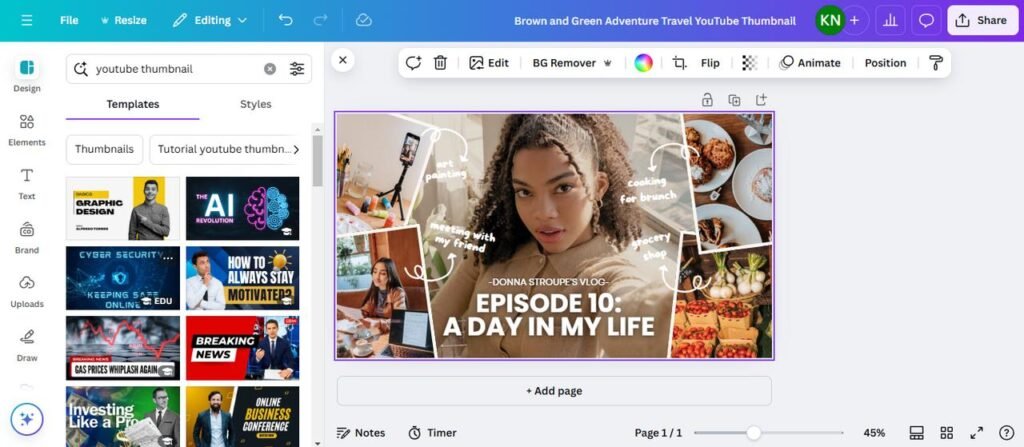
Step 5 – Design Thumbnails with Canva AI 🎨
An eye-catching thumbnail can significantly improve your click-through rate. Canva AI makes it easy to create professional thumbnails without any graphic design experience.
Choose a template, customize the text, and use Canva’s AI features to enhance your design.
What You Can Do
Create YouTube thumbnails.
Design Instagram and Facebook posts.
Generate AI images and graphics.
Add icons, text, and branding.
Resize designs for different platforms.
Pro Tip
Use bold text, high contrast, and one clear focal point so your thumbnail stands out on mobile devices.
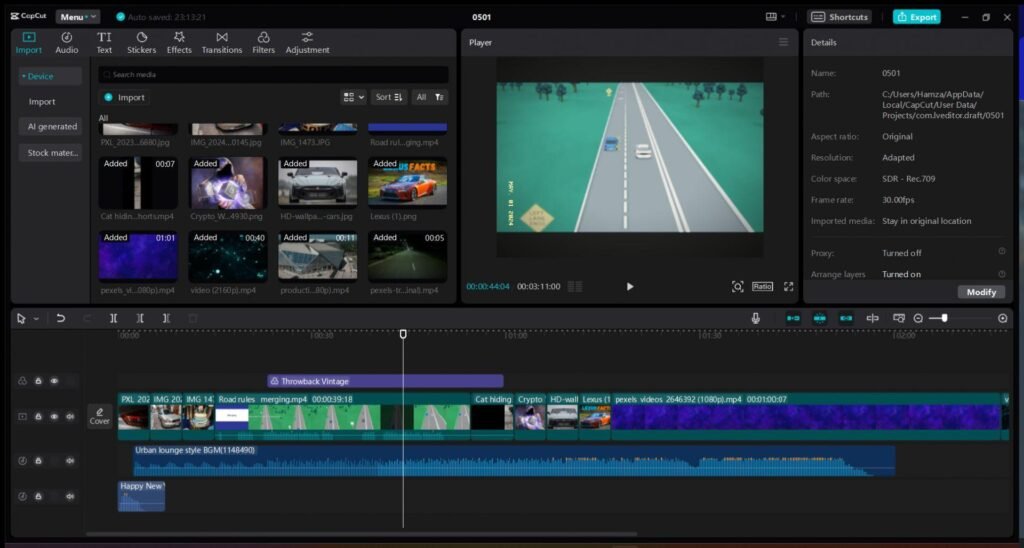
Step 6 – Edit Videos with CapCut AI ✂️
Now combine your AI-generated video clips, voiceover, and graphics in CapCut AI.
CapCut offers AI-powered editing features that help creators produce professional videos quickly.
What You Can Do
Import video clips and audio.
Generate automatic captions.
Remove silent parts automatically.
Add transitions and effects.
Insert background music.
Export videos in high quality.
Pro Tip
Export your YouTube Shorts in 1080 × 1920 (9:16) resolution for the best quality.
Step 7 – Publish Your Content 🚀
After editing, your content is ready to publish.
Upload it to your preferred platform, such as YouTube, Instagram, Facebook, or TikTok, and optimize it for better reach.
Before Publishing
Write an SEO-friendly title.
Add a compelling description.
Include relevant hashtags.
Choose your thumbnail.
Schedule or publish your content.
Pro Tip
After publishing, monitor analytics like watch time, audience retention, and click-through rate. These insights help you improve your future content.
Explore These AI Tools In Depth.
Now that you know the complete AI content creation workflow, it’s time to explore the tools that make it possible. Below are five of the best AI tools for content creators. Each tool helps with a different stage of the content creation process, from writing scripts to editing videos.
1. ChatGPT ⭐
If you’re looking for one AI tool that can help with almost every stage of content creation, ChatGPT is a great place to start. It helps creators generate ideas, write scripts, create blog articles, improve SEO, and even draft social media captions.
Key Features
Generate unlimited content ideas.
Write YouTube Shorts and long-form video scripts.
Create SEO-friendly blog articles.
Generate titles and meta descriptions.
Rewrite and improve existing content.
Brainstorm creative marketing ideas.
Best For
YouTube creators
Bloggers
SEO writers
Social media creators
Students
Free Plan
✅ Yes, ChatGPT offers a free plan with daily usage limits.
Pros
Easy to use.
Fast content generation.
Excellent writing quality.
Supports many content formats.
Cons
Free plan has usage limits.
Some advanced models and features require a paid subscription.
2. Google AI Studio (Veo) 🎥
Google AI Studio gives creators access to Google’s latest AI models. Where available, it can be used to generate high-quality AI videos from simple text prompts, making it useful for YouTube Shorts, product videos, and cinematic B-roll.
Key Features
Text-to-video generation.
Realistic AI-generated scenes.
High-quality cinematic output.
Prompt-based video creation.
Fast generation workflow.
Best For
YouTube Shorts
Marketing videos
AI B-roll
Product showcases
Creative storytelling
Free Usage
✅ Free usage is available with limits, depending on the model and availability.
Pros
Excellent video quality.
Easy prompt-based workflow.
Produces realistic visuals.
Cons
Availability varies by region and account.
Usage limits apply.
3. ElevenLabs 🎙️
A great video deserves a great voice. ElevenLabs lets creators convert text into natural-sounding AI speech, making it one of the best tools for voiceovers.
Key Features
Realistic AI voices.
Multiple languages and accents.
Fast text-to-speech generation.
High-quality audio downloads.
Voice customization options.
Best For
YouTube narration
Podcasts
Educational videos
Explainer videos
Audiobooks
Free Plan
✅ Yes, ElevenLabs offers a free plan with monthly usage limits.
Pros
Natural voice quality.
Easy to generate voiceovers.
Supports multiple languages.
Cons
Monthly limits on the free plan.
Some premium voices require a subscription.
4. Canva AI 🎨
Creating professional thumbnails and social media graphics is simple with Canva AI. Even beginners can design eye-catching visuals without graphic design experience.
Key Features
AI-powered design suggestions.
Thumbnail templates.
Social media post templates.
AI image generation.
Background remover (selected features may require Pro).
Magic Design tools.
Best For
YouTube thumbnails
Instagram posts
Facebook graphics
Presentations
Marketing materials
Free Plan
✅ Yes, Canva includes a free plan with many AI-assisted design features.
Pros
Beginner-friendly.
Thousands of ready-made templates.
Fast design workflow.
Cons
Some premium templates and AI features require Canva Pro.
5. CapCut AI ✂️
After creating your video and voiceover, you’ll need an editor to put everything together. CapCut AI offers AI-powered editing tools that help you create professional videos quickly.
Key Features
AI auto captions.
Smart background removal.
AI effects and transitions.
Music library.
Auto cut and silence removal.
One-click export.
Best For
YouTube Shorts
Instagram Reels
TikTok videos
Promotional videos
Social media content
Free Plan
✅ Yes, CapCut offers a free version with many editing tools, while some AI features require a paid subscription.
Pros
Easy-to-use interface.
Powerful AI editing features.
Available on desktop and mobile.
Cons
Some advanced AI tools are premium.
Export options may vary depending on the feature used.
📊Quick Comparison Table
AI Tool
Best For
Free Plan/Trial
ChatGPT
Script writing, SEO & content ideas
✅ Free Plan
Google AI Studio (Veo)
AI video generation
✅ Free Usage
ElevenLabs
AI voiceovers
✅ Free Plan
Canva AI
Thumbnails & graphics
✅ Free Plan
CapCut AI
Video editing
✅ Free Plan
Which AI Tool Should You Choose?
If you’re just getting started, here’s a simple recommendation:
Best for script writing: ChatGPT
Best for AI video generation: Google AI Studio (Veo)
Best for AI voiceovers: ElevenLabs
Best for thumbnails: Canva AI
Best for video editing: CapCut AI
Using all five together creates a complete AI-powered workflow that can significantly reduce the time required to produce high-quality content.
Final Thoughts
AI is transforming content creation by making professional tools accessible to everyone. Whether you’re creating YouTube videos, blog articles, Instagram Reels, or TikTok content, these AI tools can help you work faster and more efficiently.
Start with the free plans to explore each tool, and upgrade only if you need additional features as your content grows.
1. What are the best AI tools for content creators?
Some of the best AI tools for content creators include ChatGPT, Google AI Studio (Veo), ElevenLabs, Canva AI, and CapCut AI.
2. Are these AI tools free?
Most of these tools offer a free plan or free usage with certain limitations. Premium subscriptions unlock additional features and higher usage limits.
3. Which AI tool is best for YouTube creators?
A combination of ChatGPT, Google AI Studio (Veo), ElevenLabs, Canva AI, and CapCut AI provides a complete workflow for YouTube creators.
4. Can beginners use these AI tools?
Yes. All five tools are designed to be beginner-friendly and include simple interfaces with tutorials to help new users get started.
5. Which AI tool is best for creating YouTube Shorts?
Google AI Studio (Veo) is ideal for AI-generated video clips, while CapCut AI is excellent for editing and exporting YouTube Shorts.