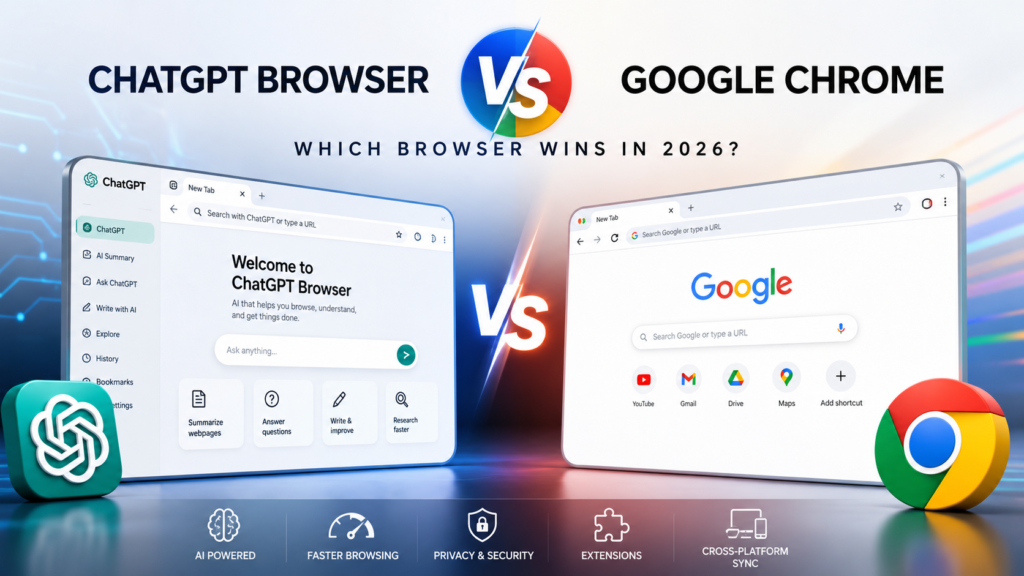
Artificial intelligence is changing the way we browse the internet. Instead of simply opening websites and searching manually, modern AI-powered browsers aim to summarize articles, answer questions, rewrite content, and even automate repetitive online tasks. This shift has sparked growing interest in AI-first browsing experiences, leading many users to compare the ChatGPT Browser vs Google Chrome.
Google Chrome has been the world’s most popular web browser for years. It is known for its speed, extensive extension library, and excellent compatibility with websites. However, the rise of AI has introduced a new way of browsing, with OpenAI exploring browser experiences that integrate ChatGPT directly into everyday web use.
So, which browser is better in 2026? Should you continue using Chrome, or is an AI-powered browser the future?
In this detailed comparison, we’ll examine their features, performance, AI capabilities, privacy, and overall user experience to help you decide.
What Is ChatGPT Browser?
ChatGPT Browser refers to OpenAI’s AI-powered approach to web browsing, designed to make browsing more intelligent and productive. Unlike traditional browsers that mainly display web pages, ChatGPT Browser integrates AI directly into your browsing experience.
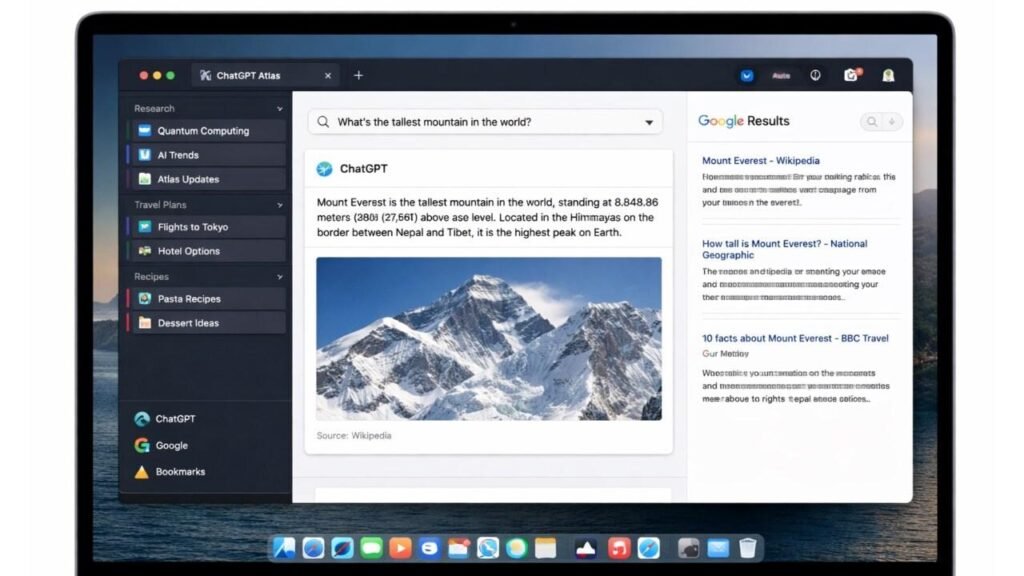
Instead of switching between multiple tabs or copying information into an AI chatbot, users can interact with AI while browsing. The browser can summarize webpages, answer questions about articles, rewrite text, explain complex topics, and assist with research.
The goal is simple: reduce the time users spend searching and increase the time spent getting useful answers.
Some versions of OpenAI’s browser experiments were based on Chromium, the same open-source engine used by Google Chrome, which means users could enjoy a familiar browsing experience while benefiting from built-in AI features.
Key Features of ChatGPT Browser
Instead of focusing only on speed, ChatGPT Browser emphasizes productivity and intelligent assistance.
Some of its most notable features include:
Built-in AI assistant
Webpage summarization
AI-powered writing assistance
Research support
Instant explanations of complex topics
Smart content rewriting
Context-aware conversations
Productivity-focused browsing
These features aim to reduce the need to constantly switch between browser tabs and AI chat applications.
What Is Google Chrome?
Google Chrome is a free web browser developed by Google and launched in 2008. Over the years, it has become the world’s most widely used browser thanks to its speed, stability, security, and compatibility with nearly every website.
Chrome is built on Chromium, an open-source browser project that powers many modern browsers.
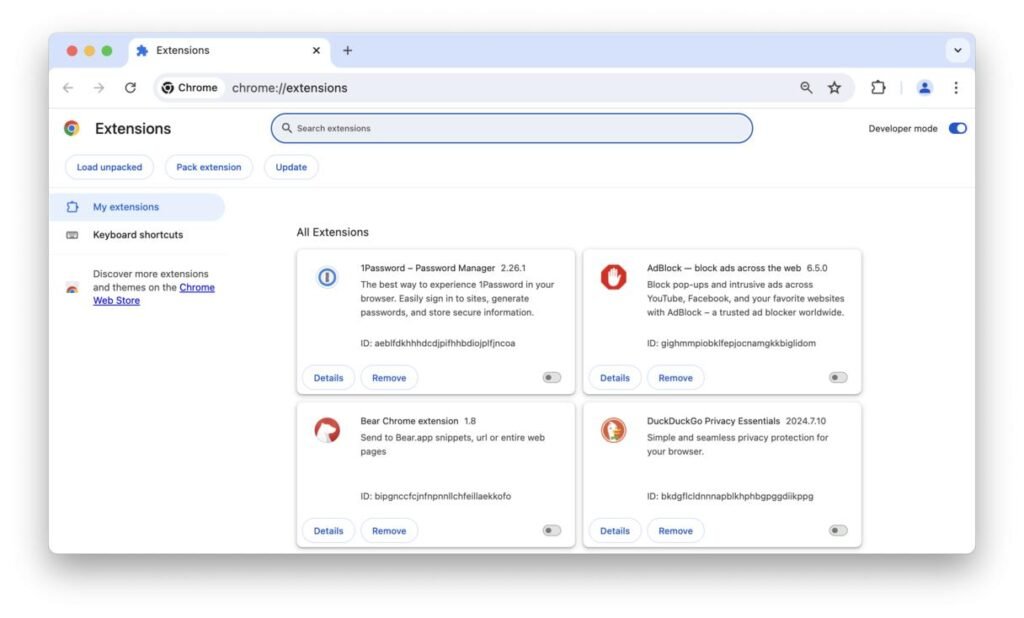
Millions of people rely on Google Chrome every day for work, education, entertainment, online shopping, and communication. One of Chrome’s biggest advantages is its massive ecosystem of extensions, allowing users to customize their browsing experience with tools for productivity, security, note-taking, password management, ad blocking, and much more.
Although Chrome now includes several AI-powered features, its primary focus remains delivering a fast, reliable, and familiar browsing experience for everyone.
Why Is Everyone Talking About AI Browsers?
Traditional browsers are excellent at displaying websites, but they still require users to search, read, compare information, and perform repetitive tasks manually.
AI browsers aim to change that.
Instead of simply showing webpages, AI can:
Summarize long articles
Answer questions instantly
Explain difficult concepts
Compare products
Draft emails
Rewrite content
Organize research
Save browsing time
As AI continues to improve, many experts believe browsers will become personal assistants rather than simple tools for accessing websites.
This shift is why AI-powered browsing has become one of the biggest technology trends of 2026.
ChatGPT Browser vs Google Chrome: Quick Comparison
Feature
ChatGPT Browser
Google Chrome
Developer
OpenAI
Google
Browser Engine
Chromium-based
Chromium
Built-in AI
✅ Yes
Limited
Webpage Summary
✅ Yes
Limited
AI Writing
✅ Built-in
Via extensions
AI Research
✅ Excellent
Limited
Chrome Extensions
Limited support
Full support
Speed
Very Fast
Excellent
Privacy Controls
Strong focus
Good
Best For
Productivity & AI
Everyday browsing
Mobile Tip: On smaller screens, swipe the table horizontally if your WordPress theme supports responsive tables.
AI Features Comparison
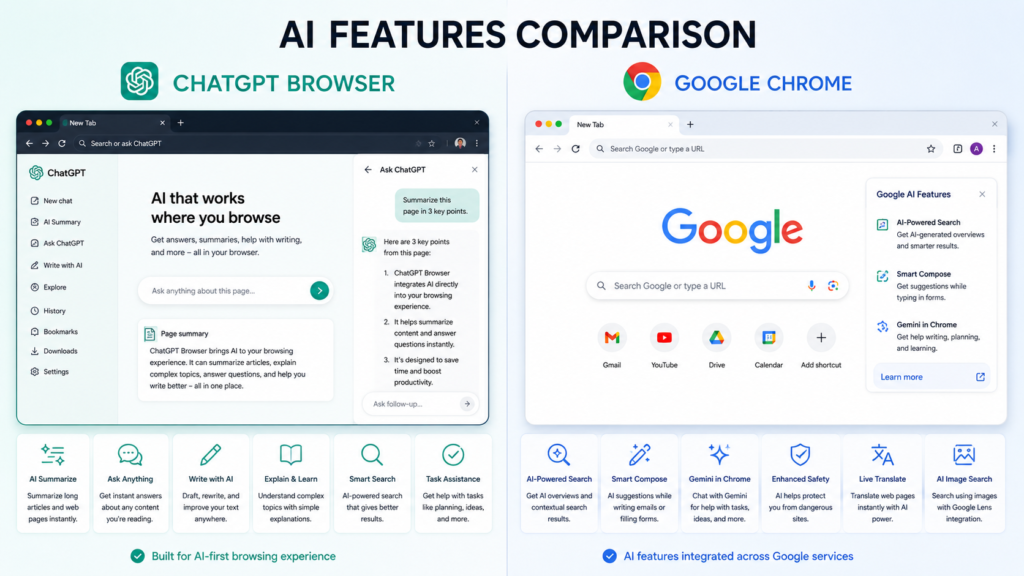
Artificial intelligence is where the biggest difference appears.
ChatGPT Browser
The browser places AI at the center of the browsing experience. Instead of searching for answers across multiple websites, users can interact directly with AI to understand, summarize, and analyze information.
For example, if you’re reading a lengthy research paper, the browser can summarize the key points in seconds. If you encounter a difficult technical term, you can ask AI for a simple explanation without leaving the page.
This makes research, studying, and content creation significantly faster.
Google Chrome
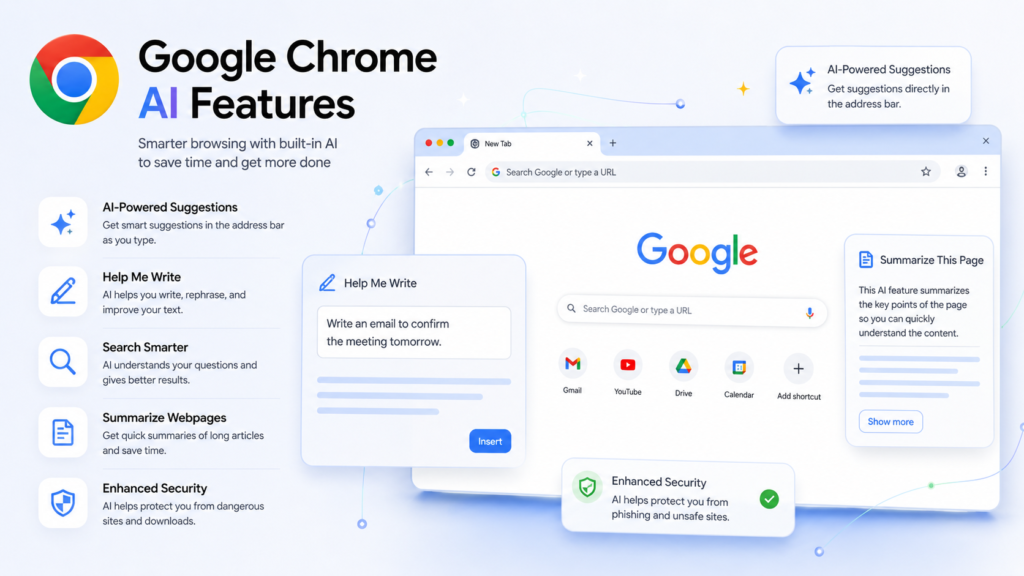
Google Chrome has gradually introduced AI-powered features, but AI is not the browser’s main focus.
Most AI capabilities come through:
Browser extensions
Google services
Third-party AI tools
While this approach provides flexibility, it often requires users to install additional tools before accessing advanced AI features.
Which Browser Is Better for Research?
Research often involves opening dozens of tabs, comparing information, taking notes, and verifying facts.
ChatGPT Browser
The AI assistant can help users:
Summarize multiple sources
Explain technical information
Compare products
Organize research
Generate quick notes
Rewrite information into simpler language
For students, writers, and professionals, these capabilities can significantly improve productivity.
Google Chrome
Chrome remains an excellent research browser because of its speed and compatibility. Users also benefit from thousands of research extensions available through the Chrome Web Store.
However, many AI-powered workflows require installing separate tools or switching between browser tabs and AI chat platforms.
Productivity Comparison
Today’s users expect browsers to do more than open websites.
ChatGPT Browser Productivity
Some of the most useful productivity features include:
AI note generation
Content summarization
Drafting emails
Brainstorming ideas
Explaining documents
Assisting with writing tasks
Organizing information
These built-in capabilities reduce the need to switch between multiple applications.
Google Chrome Productivity
Chrome shines through its extension ecosystem.
Popular productivity extensions include:
Password managers
Grammar checkers
Task managers
Note-taking tools
AI assistants
Translation tools
Screen recording software
The flexibility offered by Chrome extensions makes it suitable for users with highly customized workflows.
Performance Comparison
A browser should be more than just feature-rich—it also needs to be fast, responsive, and reliable for everyday use.
Startup Speed
Google Chrome has spent years optimizing its startup time. On modern computers with SSDs, Chrome launches almost instantly and quickly restores previously opened tabs.
ChatGPT Browser is also built for speed, especially since it is based on Chromium. However, because AI features may load in the background, startup performance can vary depending on the system and enabled AI services.
Winner: Google Chrome
Browsing Speed
For normal activities such as reading news, shopping, streaming videos, or using social media, both browsers deliver smooth performance.
Chrome benefits from years of optimization and excellent website compatibility. ChatGPT Browser performs similarly for standard browsing while adding AI-powered tools that can save time when reading or researching content.
Winner: Tie
RAM Usage
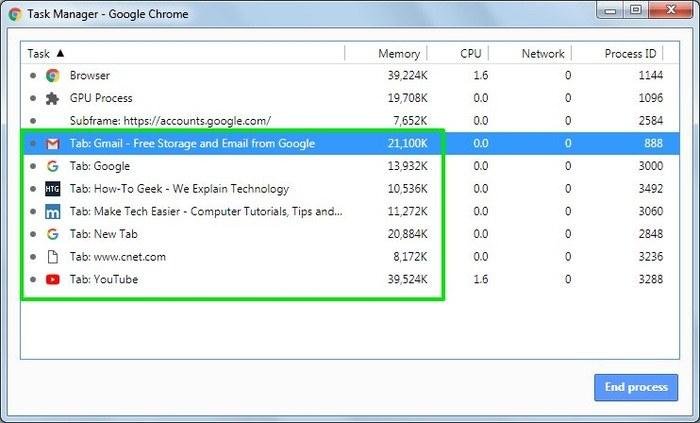
Google Chrome has a long-standing reputation for using a significant amount of RAM, particularly when many tabs and extensions are open.
ChatGPT Browser may use comparable memory because it is Chromium-based, and AI features can add extra resource usage depending on the task.
If your computer has limited memory, keeping fewer tabs open and disabling unnecessary extensions will improve performance regardless of which browser you choose.
Winner: Slight advantage to ChatGPT Browser for lighter extension usage, though results vary by workload.
Battery Efficiency
On laptops, battery life is important.
Google Chrome has improved its energy efficiency in recent years with features such as Memory Saver and Energy Saver.
ChatGPT Browser’s battery consumption depends on how frequently AI features are used. Tasks like summarizing webpages or analyzing documents require additional processing, which can increase power usage.
Winner: Google Chrome
Privacy and Security
Privacy has become one of the biggest concerns for internet users.
ChatGPT Browser
Potential advantages include:
AI-assisted browsing
Built-in security features
Intelligent phishing detection (where available)
Secure browsing environment
Privacy-focused browsing controls
Since AI features process user requests, users should understand how their data is handled and review the browser’s privacy settings before using advanced AI capabilities.
Google Chrome
Chrome offers:
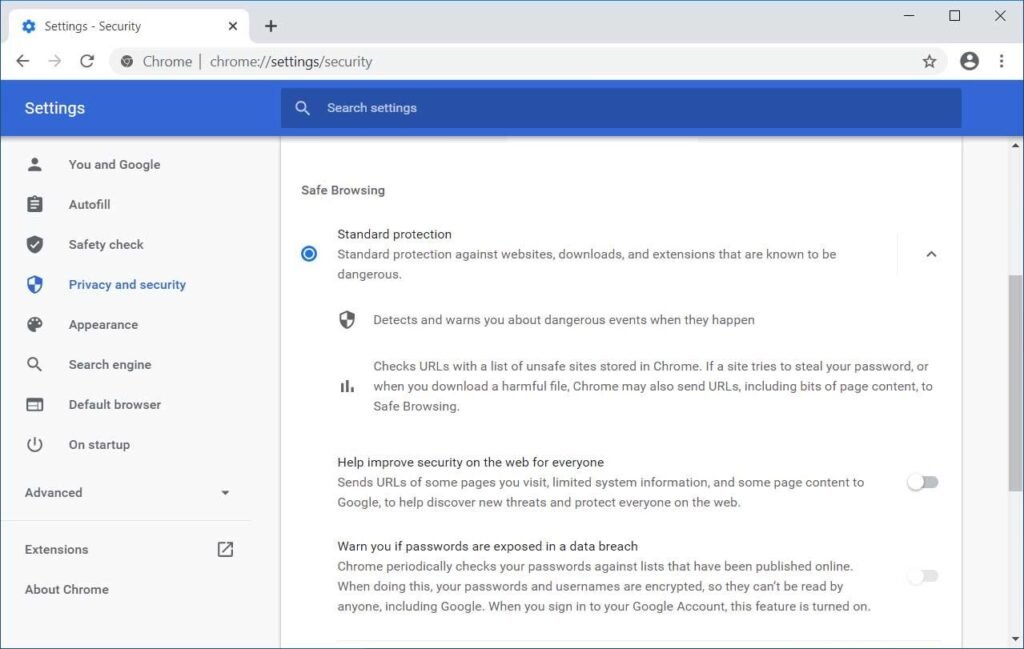
Safe Browsing protection
Password Manager
Security updates
Site permission controls
Enhanced Protection mode
Password breach alerts
While Chrome provides strong security, some users prefer browsers with greater privacy controls because Chrome is closely integrated with Google’s ecosystem.
Winner: Privacy-conscious users may prefer AI-first privacy options if available, while Chrome remains one of the most secure mainstream browsers.
Extension Support
Extensions greatly expand what a browser can do.
Google Chrome
Chrome has one of the world’s largest browser extension libraries.
Popular categories include:
Ad blockers
Password managers
AI assistants
SEO tools
Video downloaders
Screen recorders
Grammar checkers
Developer tools
Shopping assistants
This vast ecosystem is one of Chrome’s biggest strengths.
ChatGPT Browser
Because it is Chromium-based, compatibility with many Chrome extensions may be possible, depending on the implementation.
However, one of ChatGPT Browser’s goals is to reduce the need for extensions by providing AI features directly within the browser.
Winner: Google Chrome
Pros and Cons
ChatGPT Browser
Pros
Built-in AI assistant
Excellent for research
Summarizes webpages instantly
AI writing assistance
Productivity-focused design
Reduces tab switching
Cons
New ecosystem
Smaller extension library
AI features may consume additional resources
Some features may require an internet connection or supported plans
Google Chrome
Pros
Extremely fast
Excellent website compatibility
Huge extension ecosystem
Cross-device synchronization
Frequent security updates
Familiar interface
Cons
Can consume significant RAM
Built-in AI features are more limited
Some users have privacy concerns related to Google’s services
Which Browser Should You Choose?
The right browser depends on how you use the internet.
For Students
If you spend a lot of time researching, reading academic articles, or preparing assignments, ChatGPT Browser can help summarize information and explain difficult concepts more quickly.
Recommended: ChatGPT Browser
For Content Creators
Writers, bloggers, YouTubers, and marketers can benefit from AI-assisted brainstorming, rewriting, and content summaries.
Recommended: ChatGPT Browser
For Developers
Developers often rely on browser extensions, debugging tools, and maximum website compatibility.
Recommended: Google Chrome
For Office Professionals
If your work mainly involves email, cloud applications, spreadsheets, and meetings, either browser can work well.
Choose ChatGPT Browser if AI productivity features are important. Choose Chrome if you rely on specific extensions and enterprise tools.
For Everyday Users
For general web browsing, online shopping, streaming, banking, and social media, Google Chrome remains one of the most reliable choices.
Recommended: Google Chrome
Can ChatGPT Browser Replace Google Chrome?
Not completely—at least not yet.
Google Chrome remains the leading browser thanks to its mature ecosystem, excellent compatibility, and years of continuous improvement.
However, ChatGPT Browser represents an exciting direction for the future of web browsing. Built-in AI can make research, writing, learning, and productivity significantly more efficient without relying on multiple extensions or separate AI tools.
Rather than replacing Chrome overnight, AI-powered browsers are more likely to reshape how people interact with the web over the coming years.
Final Verdict
The comparison between ChatGPT Browser vs Google Chrome shows that both browsers excel in different areas.
If your priority is AI-powered productivity, research assistance, and intelligent browsing, ChatGPT Browser introduces features that traditional browsers cannot easily match.
If you value speed, stability, extension support, and broad compatibility, Google Chrome continues to be one of the best browsers available.
Ultimately, the best browser depends on your needs. Many users may even find that using both browsers together provides the ideal balance between traditional browsing and AI-enhanced productivity.
Frequently Asked Questions (FAQs)
1. What is ChatGPT Browser?
ChatGPT Browser is an AI-focused browsing experience designed to integrate ChatGPT directly into web browsing, making it easier to summarize pages, answer questions, and assist with research and writing.
2. Is ChatGPT Browser better than Google Chrome?
It depends on your needs. ChatGPT Browser is stronger for AI-assisted tasks, while Google Chrome offers broader compatibility and a much larger extension ecosystem.
3. Is ChatGPT Browser free?
Availability and pricing may vary depending on the version, features, and OpenAI services offered at the time of use.
4. Which browser is faster?
For general browsing, Google Chrome has a slight advantage due to years of optimization. Both browsers perform well for everyday tasks.
5. Does ChatGPT Browser support Chrome extensions?
Support may be available if the browser is based on Chromium, but compatibility can vary depending on the specific release.
6. Is Google Chrome still worth using in 2026?
Yes. Google Chrome remains one of the fastest, most secure, and most compatible browsers available.
7. Which browser is better for students?
Students who frequently research or write may appreciate ChatGPT Browser’s AI tools, while Chrome remains an excellent all-around choice.
8. Which browser offers better privacy?
Both browsers provide security features, but privacy depends on settings, data practices, and how users choose to interact with AI or cloud services.
9. Can I use both browsers together?
Absolutely. Many users use Chrome for everyday browsing and an AI-focused browser for research, writing, and productivity.
10. Will AI browsers become the future?
AI is expected to play an increasingly important role in web browsing. Traditional browsers are also integrating AI, making the future likely to involve a blend of fast browsing and intelligent assistance.
Conclusion
The browser landscape is evolving rapidly. While Google Chrome continues to dominate with its speed, reliability, and unmatched extension library, AI-powered browsers are changing expectations by making the web more interactive and productive.
Whether you’re a student, professional, content creator, or casual user, understanding the strengths of each browser will help you choose the one that best fits your workflow. As AI technology continues to advance, the competition between AI-first browsers and traditional browsers will shape the next generation of internet experiences.