Google Chrome is no longer just a web browser. Google has been adding powerful AI features that help users browse smarter, write faster, and stay organized. However, many Chrome users still don’t know these tools exist.
If you spend hours browsing the web for work, study, or entertainment, these built-in AI features can save you time and make your daily tasks much easier. From summarizing long articles to organizing dozens of tabs automatically, Chrome is becoming an AI-powered productivity tool.
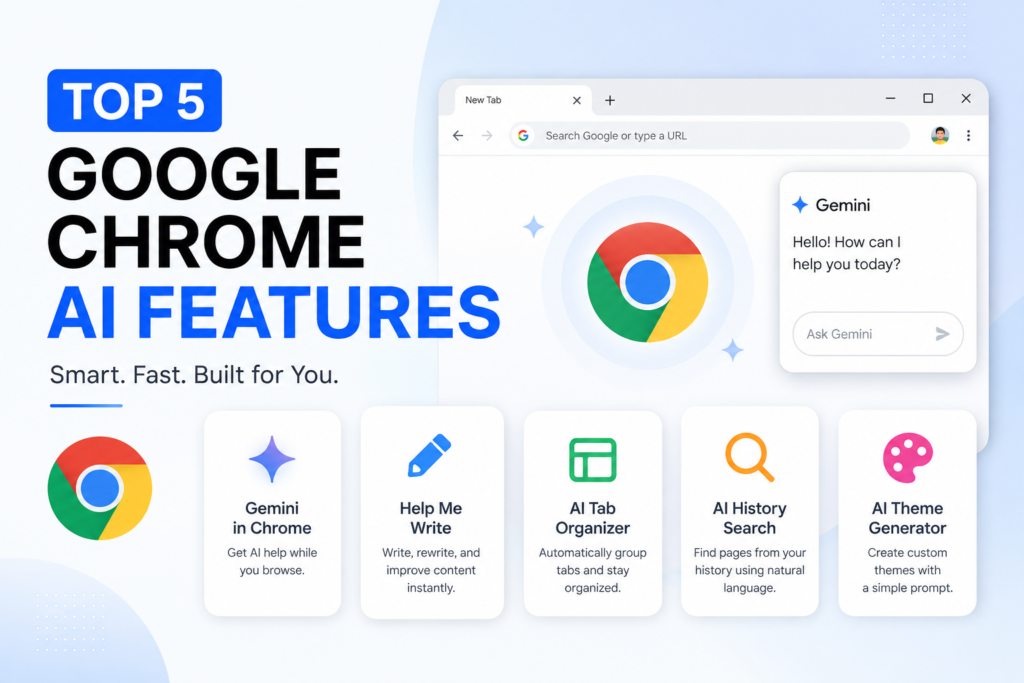
In this article, we’ll explore the top 5 Google Chrome AI features you should know about, explain how they work, and show you why they’re worth trying.
1. Gemini in Chrome ⭐
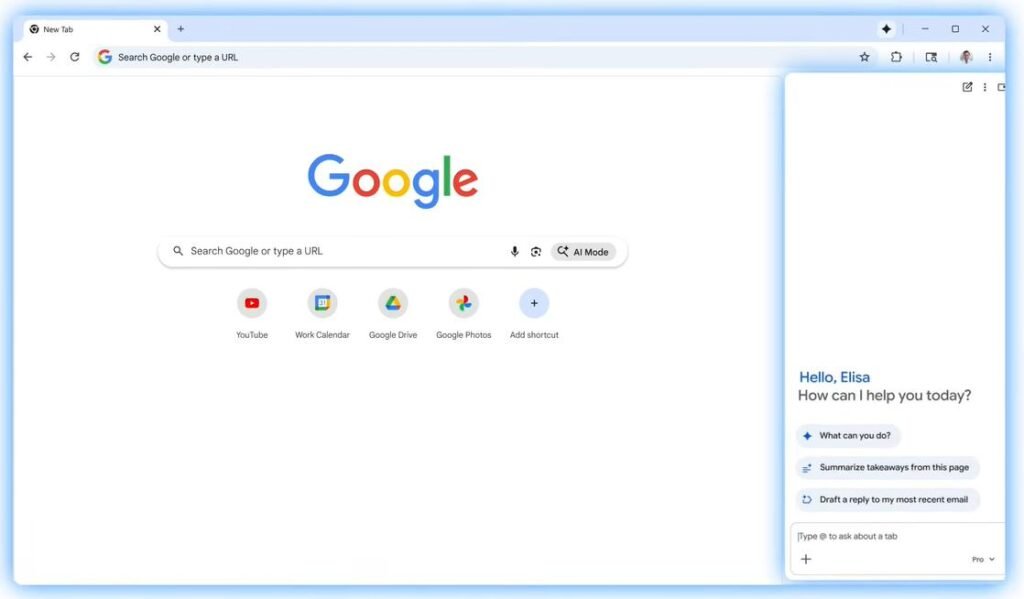
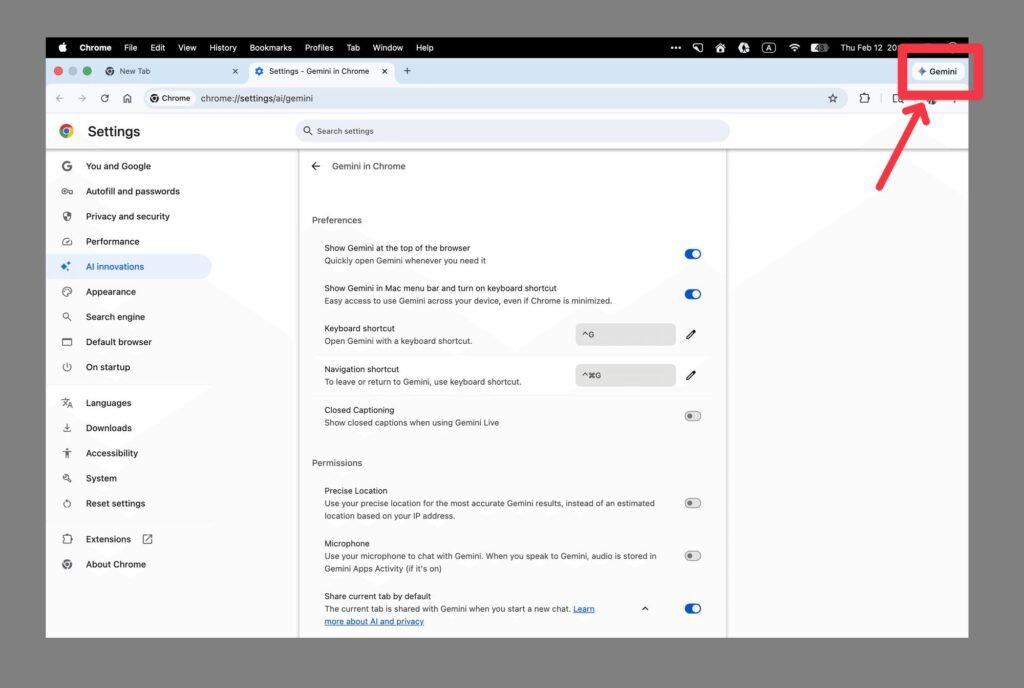
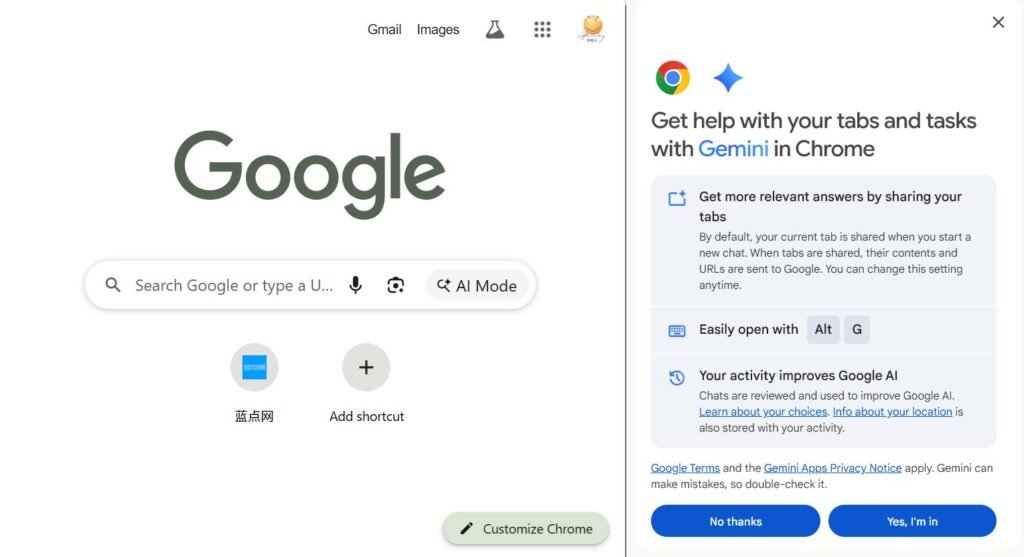
One of the biggest additions to Google Chrome is Gemini, Google’s built-in AI assistant. Instead of opening a separate AI chatbot, you can get help directly while browsing the web.
Whether you’re reading a long article, researching a topic, or comparing products, Gemini can answer questions without interrupting your workflow.
What Can Gemini in Chrome Do?
Gemini can help you:
Summarize long web pages in seconds.
Explain difficult topics in simple language.
Answer questions about the page you’re currently reading.
Compare information across multiple websites.
Help brainstorm ideas while researching.
For example, if you’re reading a lengthy technology article, you can ask Gemini to provide a quick summary instead of reading every paragraph.
Why You’ll Love It
Gemini reduces the time you spend searching for information and makes browsing much more efficient. Instead of switching between tabs or copying text into another AI tool, everything happens directly inside Chrome.
2. Help Me Write ✍️
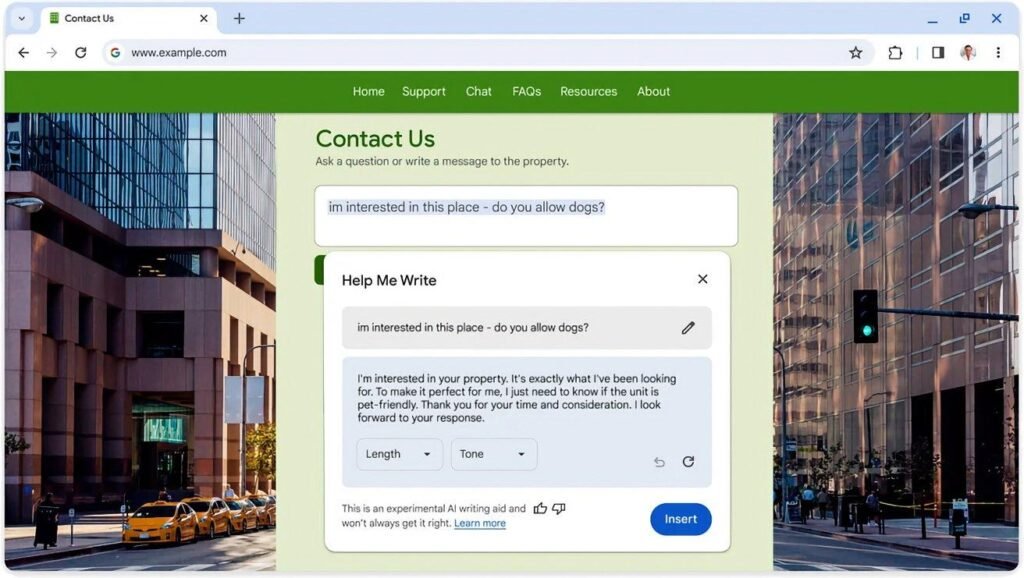
Writing emails, reviews, or social media posts can take time, especially when you’re unsure how to phrase your message. That’s where Chrome’s Help Me Write feature becomes useful.
It uses AI to generate, improve, or rewrite text directly in supported text fields across the web.
What Can Help Me Write Do?
With just a few words, Chrome can:
Write professional emails.
Rewrite sentences for better clarity.
Fix grammar and spelling mistakes.
Change the tone of your writing.
Expand or shorten paragraphs.
Generate ideas when you’re stuck.
Whether you’re replying to an important email or writing a product review, the AI can help you create polished content much faster.
Why You’ll Love It
Instead of thinking about the perfect words, you can let AI create a draft and then make small edits before sending it. This is especially useful for students, professionals, bloggers, and content creators.
3. AI Tab Organizer 🗂️
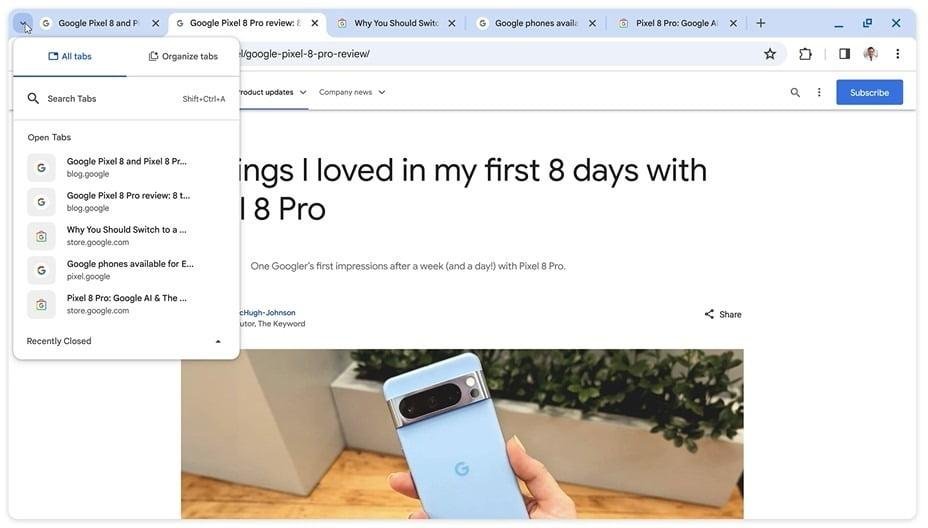
If you often have 20 or more tabs open at once, Chrome’s AI Tab Organizer can help you stay organized.
Rather than manually sorting your tabs, Chrome uses AI to detect similar pages and automatically group them together.
What Can AI Tab Organizer Do?
The feature can:
Group similar tabs automatically.
Suggest useful names for each group.
Reduce browser clutter.
Make multitasking easier.
Help you quickly switch between projects.
For example, if you’re researching laptops, planning a vacation, and watching YouTube videos, Chrome can organize each activity into its own tab group.
Why You’ll Love It
Managing dozens of tabs becomes much easier, allowing you to focus on your work instead of searching for the right page.
4. AI History Search 🔍
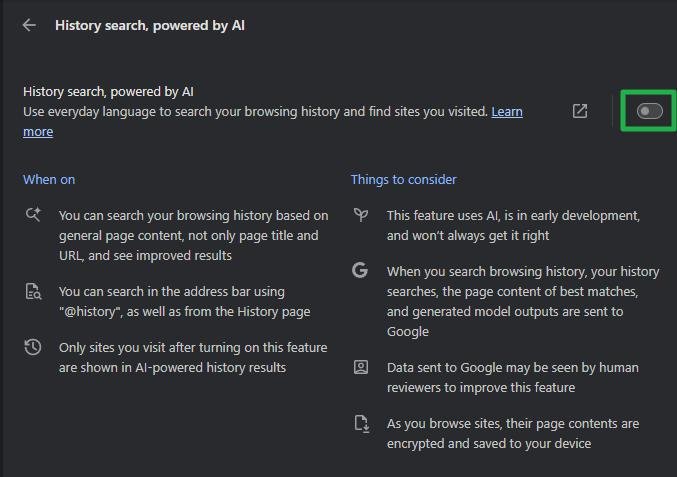
Have you ever visited a useful website but couldn’t remember its name later? Instead of searching with the exact page title, AI History Search lets you find previously visited websites using natural language.
This makes searching your browsing history much faster and more convenient.
What Can AI History Search Do?
With AI History Search, you can:
Search your browsing history using everyday language.
Find websites without remembering the exact title.
Quickly locate articles, products, or tutorials you’ve visited before.
Save time when searching through hundreds of previously opened pages.
Example
Instead of searching for:
best-gaming-laptops-2026.html
You can simply type:
“The gaming laptop website I visited last week.”
Chrome’s AI understands what you mean and finds the relevant page from your browsing history.
Why You’ll Love It
If you browse dozens of websites every day, this feature can save you a lot of time by making history searches feel as easy as talking to an AI assistant.
5. AI Theme Generator 🎨
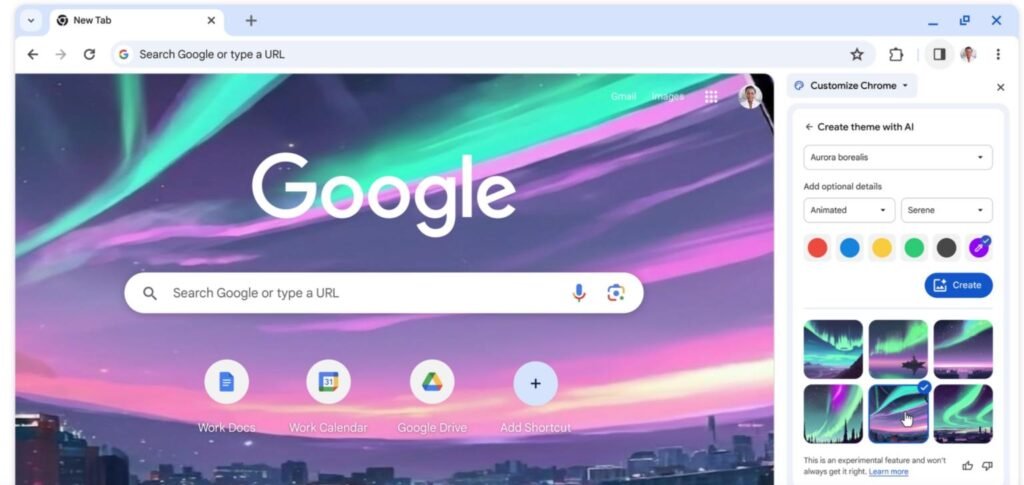
If you like customizing your browser, Chrome’s AI Theme Generator makes personalization much easier.
Instead of choosing from pre-made themes, you can describe what you want, and Chrome generates a unique browser theme using AI.
What Can AI Theme Generator Do?
It allows you to:
Generate custom Chrome themes.
Create wallpapers from simple text prompts.
Automatically match browser colors with your wallpaper.
Personalize your browsing experience in seconds.
Example Prompts
Try prompts like:
Cyberpunk City at Night
Space Galaxy
Mountain Sunrise
Minimal Black Theme
Neon Blue Technology
Nature with Waterfalls
Chrome will generate a matching background and color palette based on your prompt.
Why You’ll Love It
Instead of using the same default Chrome theme, you can create a browser that matches your personal style with just a few words.
Quick Comparison Table
AI Feature
Best For
Main Benefit
Gemini in Chrome
Research & Learning
Summarizes web pages and answers questions instantly
Help Me Write
Writing
Generates and improves text using AI
AI Tab Organizer
Multitasking
Automatically groups similar tabs
AI History Search
Browsing
Finds previously visited websites using natural language
AI Theme Generator
Personalization
Creates custom Chrome themes from text prompts
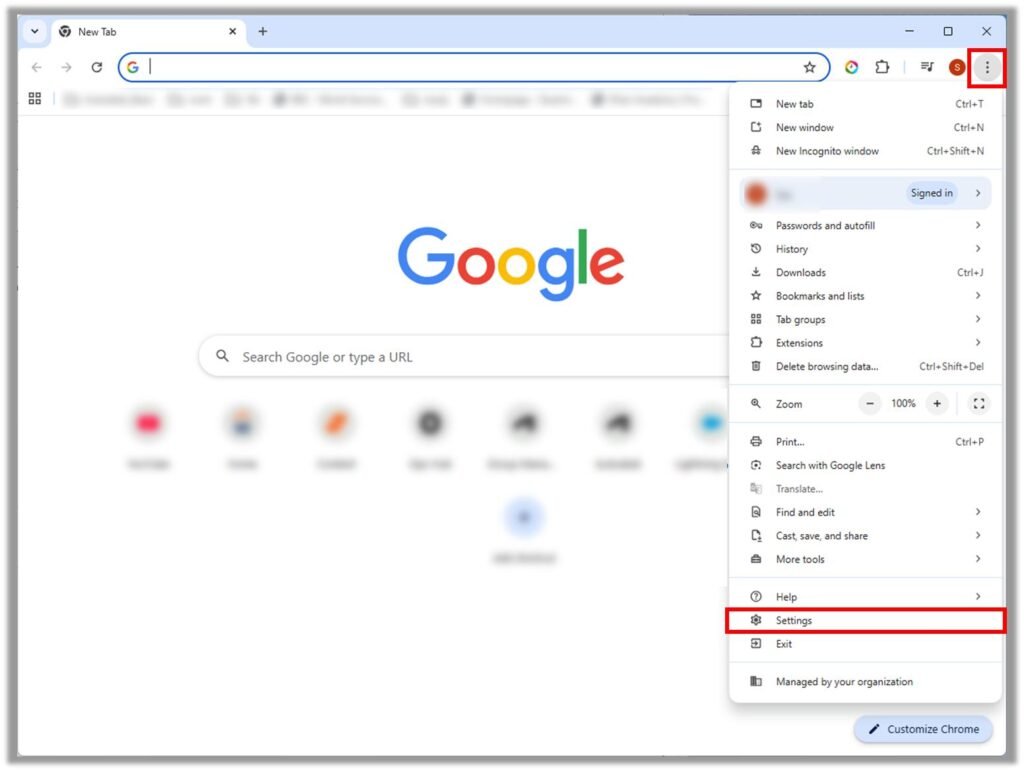
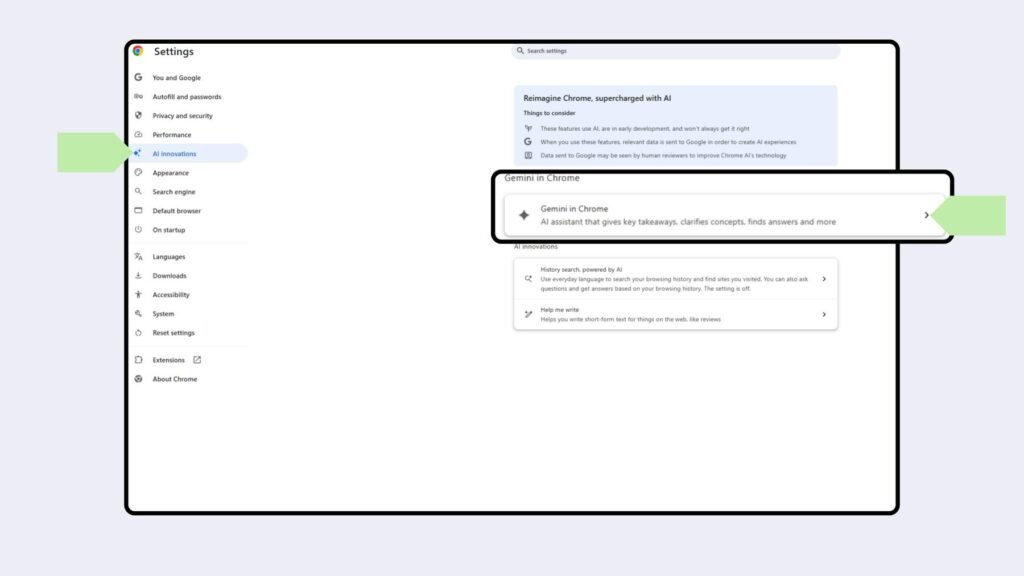
How to Enable Google Chrome AI Features
Some AI features are available only in the latest versions of Google Chrome and may roll out gradually depending on your region and account.
Follow these steps to check if they’re available:
Step 1
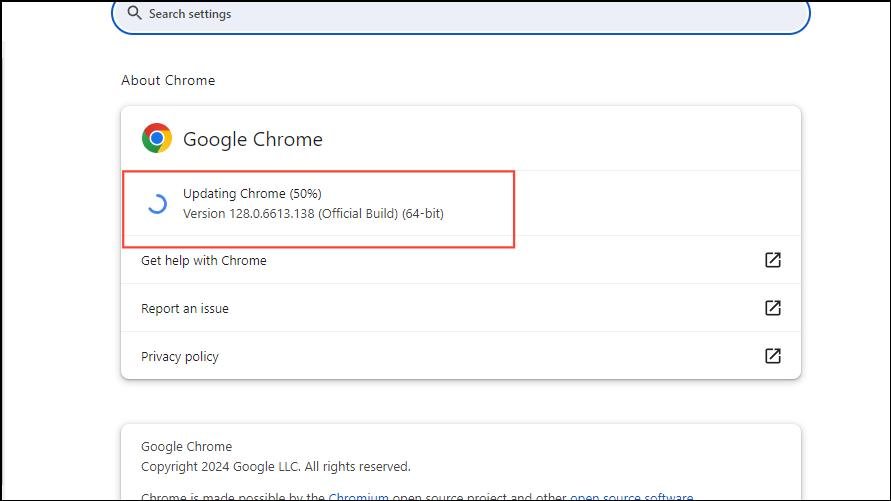
Update Google Chrome to the latest version.
Step 2
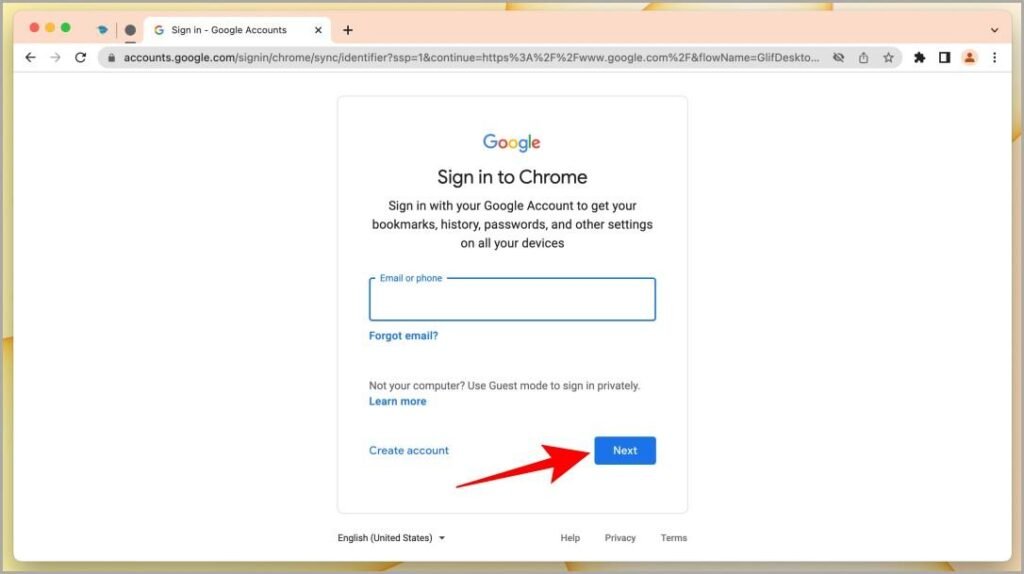
Sign in using your Google Account.
Step 3
Open Chrome Settings.
Step 4
Look for available AI features or experimental AI options.
Step 5
Enable the features if they’re available for your account.
Note: Some Chrome AI features are currently rolling out gradually, so they may not be available to all users yet.
Why Google Chrome AI Features Matter
Google is transforming Chrome from a traditional web browser into an AI-powered productivity platform.
These features help users:
Save time while browsing.
Write emails and documents faster.
Stay organized with AI-powered tab management.
Find previously visited websites more easily.
Personalize the browser with AI-generated themes.
Whether you’re a student, professional, content creator, or casual internet user, these tools can improve your daily browsing experience.
Final Thoughts
Google Chrome is becoming much smarter with the addition of built-in AI tools. Features like Gemini in Chrome, Help Me Write, AI Tab Organizer, AI History Search, and AI Theme Generator show how AI is making everyday browsing faster, easier, and more productive.
While some features are still rolling out globally, they give us a clear look at the future of web browsers. If you use Google Chrome every day, these AI features are definitely worth exploring.
Frequently Asked Questions (FAQs)
1. What are Google Chrome AI features?
Google Chrome AI features are built-in tools powered by artificial intelligence that help users browse smarter, write faster, organize tabs, search browsing history, and personalize their browser.
2. Is Gemini available in Google Chrome?
Yes. Gemini is available in Chrome for eligible users and is expanding gradually to more regions and accounts.
3. Are Google Chrome AI features free?
Many Chrome AI features are available at no additional cost, although some advanced Gemini capabilities may require a supported Google AI plan or may be limited during rollout.
4. How do I enable AI features in Google Chrome?
Update Chrome to the latest version, sign in with your Google Account, and check Chrome Settings to see whether AI features are available for your account.
5. Which Google Chrome AI feature is the most useful?
For most users, Gemini in Chrome is the most powerful feature because it can summarize web pages, answer questions, and assist with research directly inside the browser.
6. Are all Chrome AI features available worldwide?
No. Google is releasing these features gradually, so availability depends on your region, account, and Chrome version.